Enable support bundle uploads
When this feature is enabled, customers using online KOTS or Embedded Cluster installations can upload support bundles directly through the Admin Console UI, eliminating the need to share the generated bundle with you manually.
When enabled, your customers can use the Send bundle to vendor button in the Admin Console to upload a generated support bundle.

After clicking this button, the bundle will be immediately available under the Troubleshoot tab in the Vendor Portal team account associated with this customer.
For more information on how your customer can use this feature, see Generate Support Bundles from the Admin Console (KOTS or Embedded Cluster v2) or Persistent admin console (Embedded Cluster v3).
How to enable direct bundle uploads
Direct bundle uploads are disabled by default. To enable this feature for your customer:
-
Log in to the Vendor Portal and navigate to your customer's Manage Customer page.
-
Under the License options section, check the Support Bundle Upload Enabled option. For KOTS installations, the customer must also have KOTS Install Enabled checked.
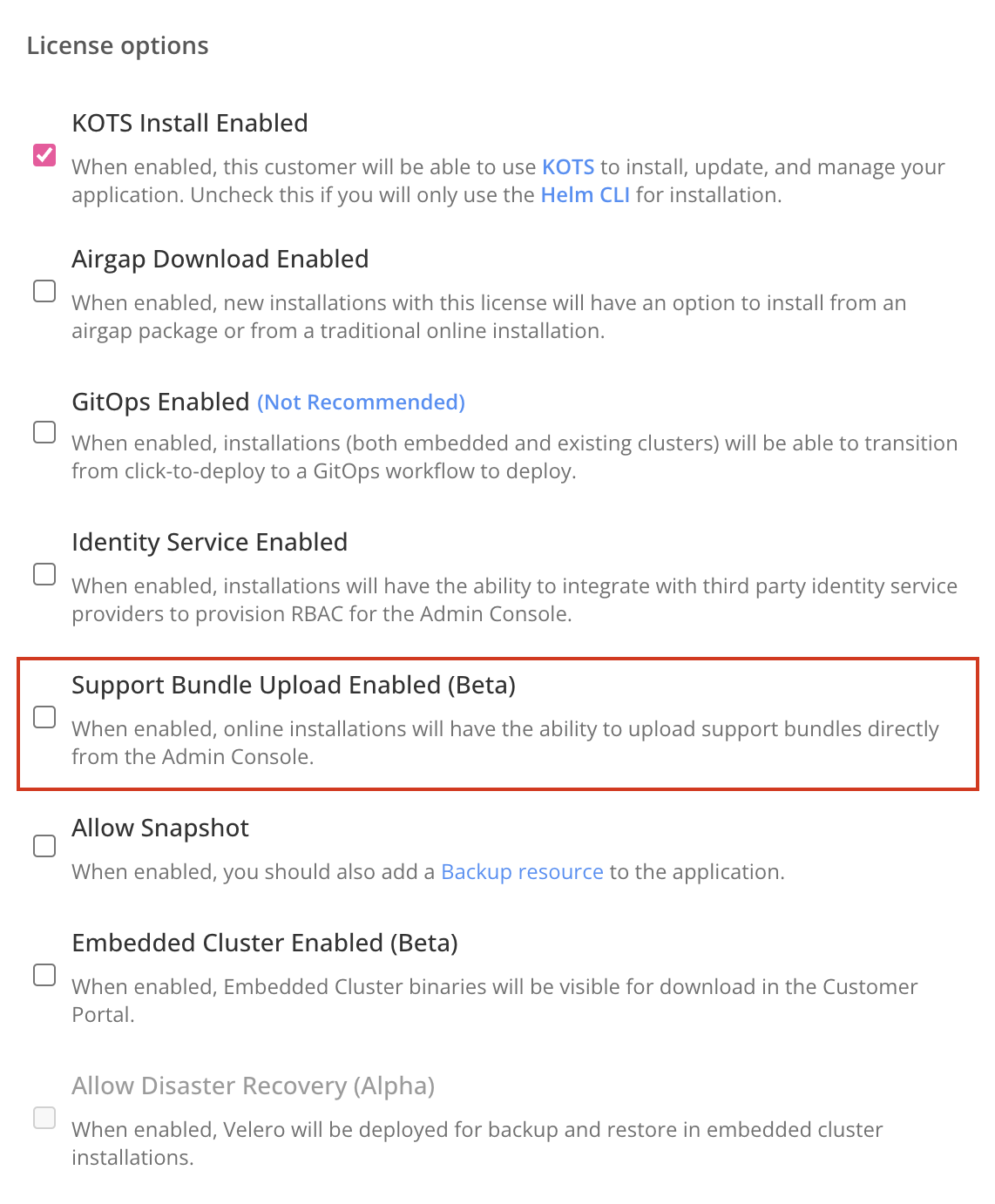
-
Click Save.
Limitations
- By default, you will not receive a notification when a customer sends a support bundle to the Vendor Portal. To get notified of uploads, configure a Support Bundle Uploaded notification event. See Support Events.
- The upload button does not appear in air gap installations.
- For KOTS and Embedded Cluster v2 installations, there is a 500 MB limit for support bundles uploaded directly through the Admin Console. For larger bundles, use the Replicated SDK API upload endpoint, which has no size restriction. Embedded Cluster v3 installations leverage the SDK upload endpoint.